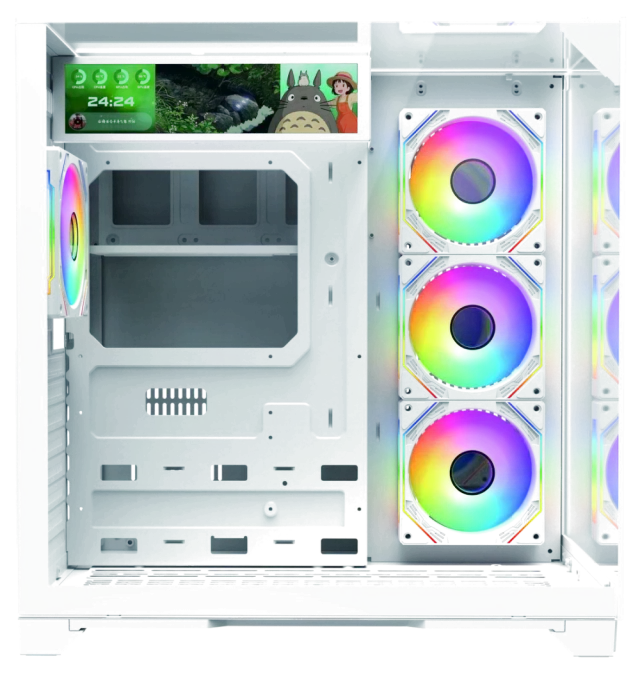
For the SONIC V200R
SONIC V200R software
The Windows installer for the V200R. Download it, open the file and follow the steps on screen.
Software for your SONIC hardware. Download it here, free, straight from SONIC.
For the SONIC V200R
The Windows installer for the V200R. Download it, open the file and follow the steps on screen.
VmaxSetup2.0.0.14.exe in your Downloads folder. When Windows asks for permission, check that the publisher reads Hailian Zhixin (Shenzhen) Technology Co., Ltd., then choose Yes.Compare this checksum with the one for your file to make sure it is complete and unchanged.
18DB7285395AE7CE3344E8A62117D4C681497496FAFE4875BBF10E8948A2F999In PowerShell, from your Downloads folder:
Get-FileHash VmaxSetup2.0.0.14.exe -Algorithm SHA256The installer is digitally signed by Hailian Zhixin (Shenzhen) Technology Co., Ltd., and Windows shows that name when you open it. You can also check the SHA-256 checksum on this page against your downloaded file to confirm it arrived complete and unchanged.
Open PowerShell in your Downloads folder and run: Get-FileHash VmaxSetup2.0.0.14.exe -Algorithm SHA256. The result should match the checksum on this page exactly. In Command Prompt you can run: certutil -hashfile VmaxSetup2.0.0.14.exe SHA256.
The installer is 362.5 MB. On a slow connection it can take a while, but the download can be paused and resumed in your browser.
This download is a Windows installer (.exe), so it is for Windows PCs.
Yes. Installers ask Windows for permission to make changes. Check that the publisher shown reads Hailian Zhixin (Shenzhen) Technology Co., Ltd., then choose Yes.
Message SONIC on WhatsApp at +92 310 5768127 and we will help you.